Teamspeak Support :: How to add TemaSpeak 3 Server Groups
-
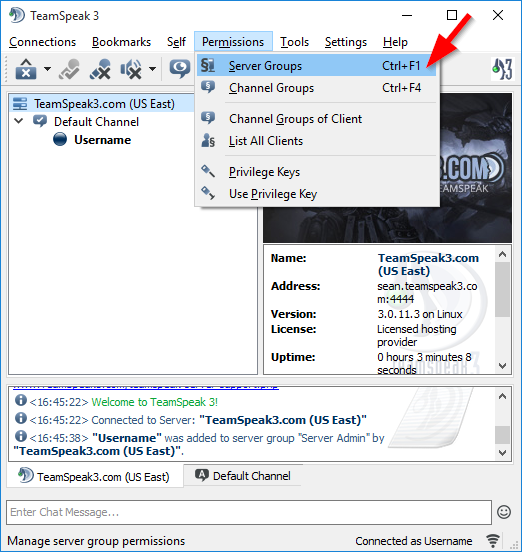
Open the Server Group DialogAt the top of TeamSpeak 3 click on the "Permissions" menu and then click "Server Groups".
-
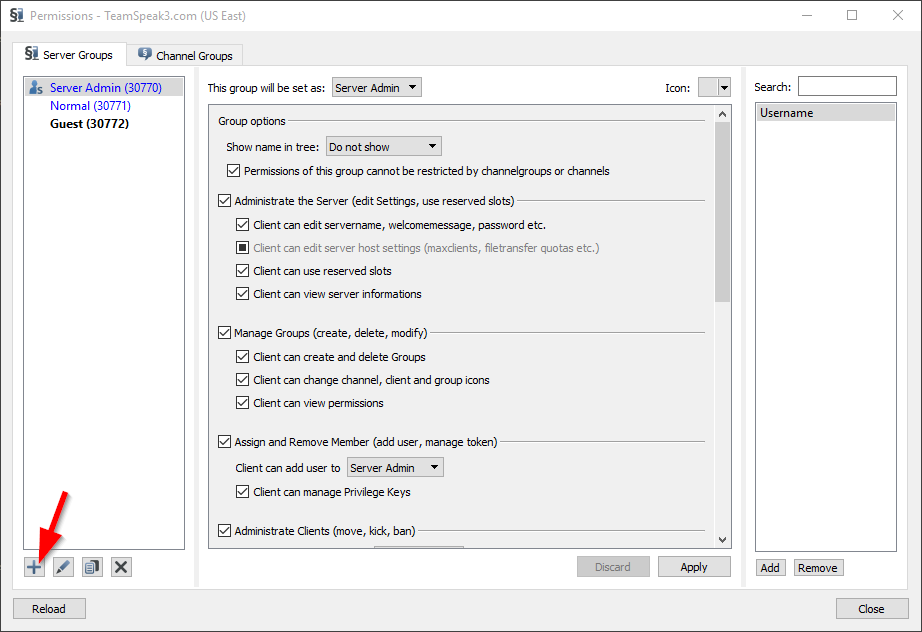
Click the Add ButtonOn the left hand side of the "Server Groups" dialog window you'll need to click the "+" arrow button.
-
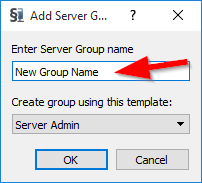
Create the New GroupYou'll type the Server Group name inside of the first empty input box then select the type of group you would like to create and click the "OK" button to create the group. Your new group will be listed on th left hand side of the "Server Group" dialog window now.
|
Links
|
Other Services
|
Account
|


|
© 2004-2024 LightSpeed Gaming LLC