Teamspeak Support :: How to set a global server password
-
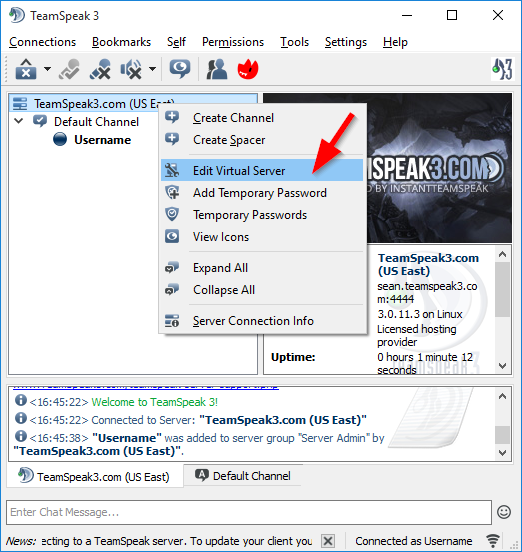
Open the "Edit Virtual Server" DialogRight click on your "Server Name" at the top of the TeamSpeak 3 window and select the "Edit Virutal Server" option.
-
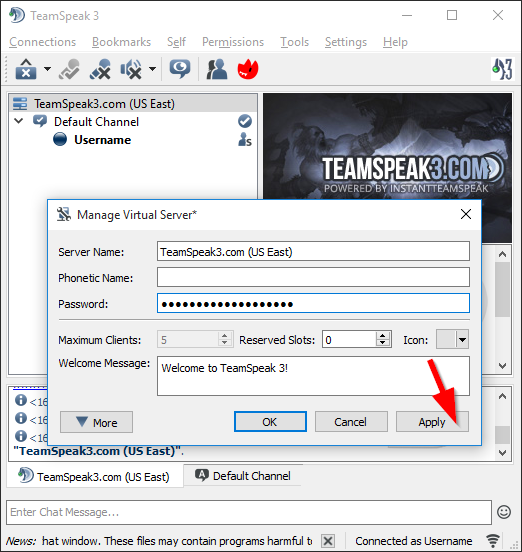
Enter Desired PasswordIn the "Password" input box you'll type in the password you'll want to use for people that are connecting to your server. Once you have the password typed in click the "Apply" button at the bottom of this window.
|
Links
|
Other Services
|
Account
|


|
© 2004-2024 LightSpeed Gaming LLC