Teamspeak Support :: How to use a privilege key in TeamSpeak 3
-
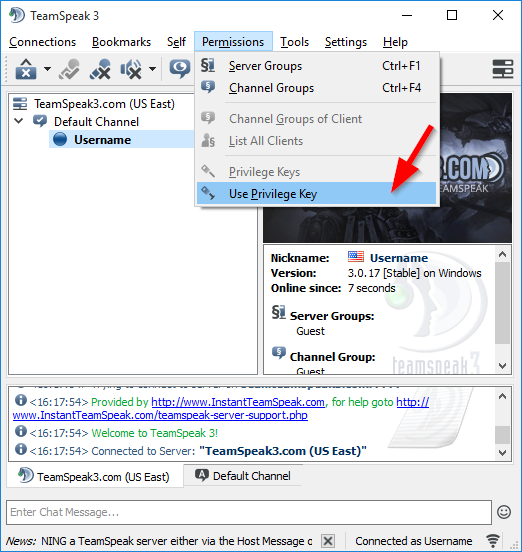
Open the Privilege Key WindowOn the menu bar at the top of TeamSpeak 3 select "Permissions" and then select the "Use Privilege key" option.
-
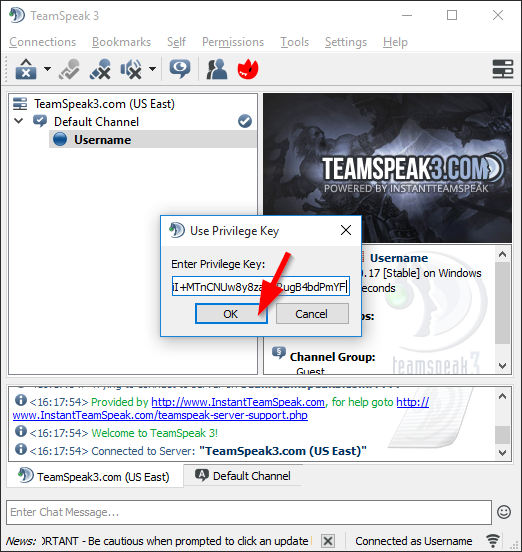
Enter In the KeyThis is where you'll take the key you either got from your hosting provider or your friend and enter it here.
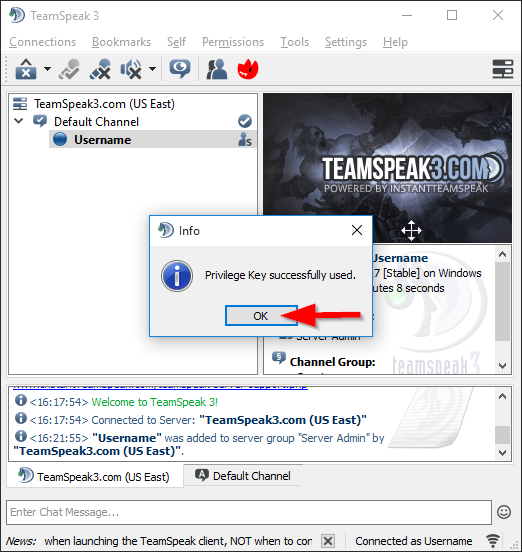
SuccessIf successful, you will see a pop up that says "Privilege Key Successfully used."
|
Links
|
Other Services
|
Account
|


|
© 2004-2024 LightSpeed Gaming LLC